
Live cane movement
A local dashboard visualises cane movement in real time during a demonstration.
The Supporta cane
A working walking-cane prototype, with AI development focused on the moments of instability that can go unrecorded.
Working MVP. AI development underway.
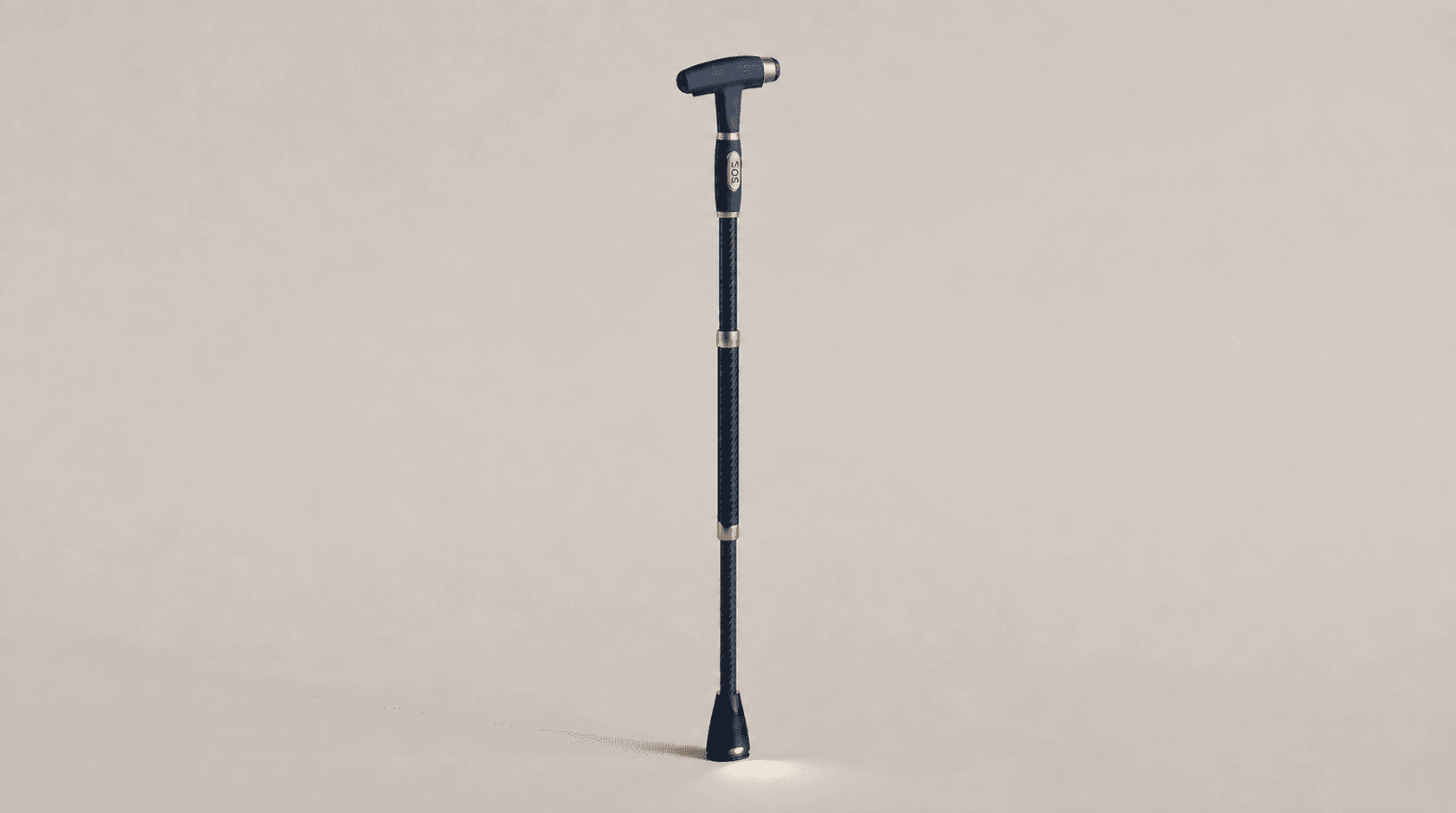 The Supporta caneExterior concept image
Working MVP
A real prototype to demonstrate.Live local cane-motion visualisation, cane-use status and prototype alerts.
Future product direction
A glimpse of the experience we’re working toward.
39 secondsAn illustrated story follows a woman using a cane at home. Concept graphics show movement awareness and a prompt to pause. Her daughter checks her phone. Later, the woman reaches for the cane at night and its light illuminates the floor. The closing brand sequence presents earlier awareness as Supporta’s ambition. This film does not demonstrate validated detection, fall prevention, or a finished product.
Every day has its own quiet rhythm. Supporta is simply there with her. Steady, dependable, watching gently over the small moments that make up an ordinary day. Always present, never intrusive. Just enough support to feel safe. And when it matters most, her daughter is right there too, even from miles away. At night, when she wakes and reaches for support, Supporta lights the way so she’s never alone. Because real care isn’t loud. It’s just there, quietly, whenever she needs it. Supporta. Earlier awareness. More peace of mind.
Current MVP
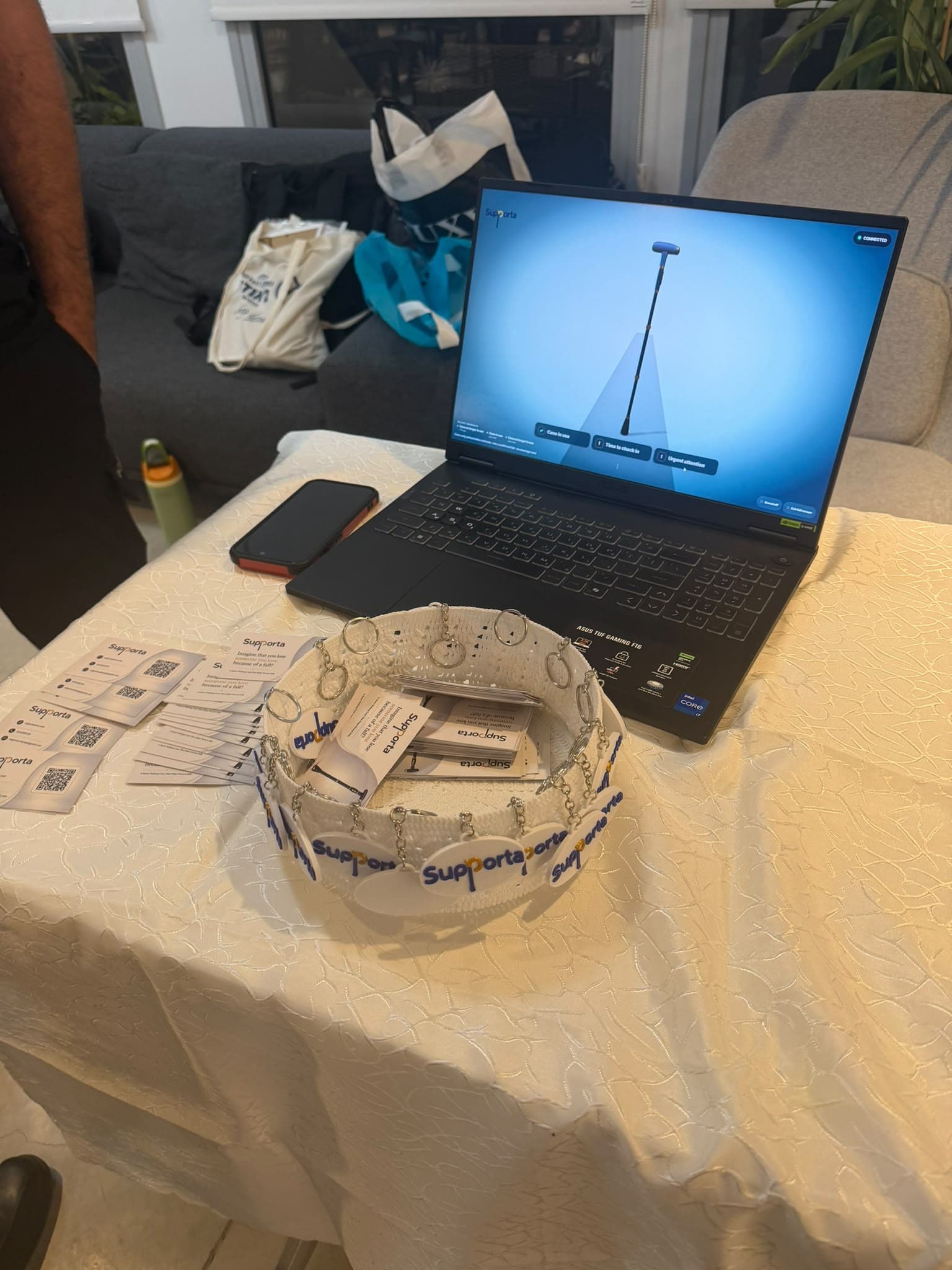
A local dashboard visualises cane movement in real time during a demonstration.
The demonstration shows when the cane is being used and when information is unavailable.
On-screen alerts demonstrate unusual-movement and suspected-fall scenarios.
These are prototype demonstration capabilities, not established detection accuracy or medical performance. Supporta is a non-medical prototype, not an emergency-response service.
In development
Identify possible instability episodes, including moments when someone recovers and continues walking. An unusual movement alone is not a confirmed near-fall.
Automatically record and count detected events without requiring the person, family or care staff to log or approve them. Several movements within one episode should not become several events.
Present daily and weekly event trends alongside recorded cane-use time. Periods without data must remain missing information, never zero events.
Distinguishing instability from turning, changing grip or putting down the cane is part of the development challenge. Laboratory work and supervised pilots are the next steps in evaluating the model.
Explore the planned app experienceBeyond the core
Planned complementary capabilities
Further fall-response development, an SOS button, GPS location sharing and path lighting are planned. Fall and SOS responses belong to a separate pathway from instability-event tracking.
Longer-term research
Advance fall warning and whether interventions reduce falls require separate research and evidence. They are not established capabilities of the current MVP.
A private invitation
Explore the product evidence with the people building it.
Request accessOpen display preferences with Enter or Space. Drag this button to move it, or use the arrow keys while it is focused. Press Home to reset its position.